
Note: This post targets Android JellyBean (4.1–4.3, 2012–2013) and uses a 1×1 Settings Shortcut widget workaround that no longer exists in modern Android. If you’re on Android 10 or later, go to Settings > Notifications > Notification History to view your notification log natively — no widget trick needed.
Lost or dismissed your important notification from your android device? Now you want to get it back? Well if you are having Android JellyBean or later, you can get back your dismissed notification with few easy steps.
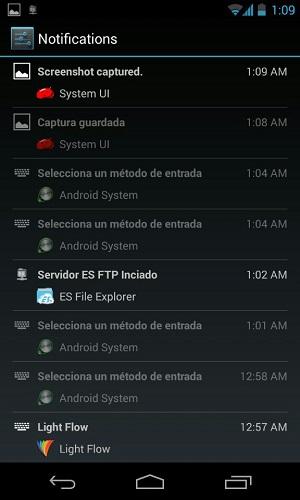
Simple go to your android home screen and tap App icon. Switch to Widgets tab, and look for 1×1 Settings Shortcut. Place it on your home screen. Now tap on that newly placed icon and select Notifications from list. That’s all. Tap on it to see all pushed notification history in reverse chronological order.
Image via ibtimes.com and Kārlis Dambrāns
No Comments yet!