

We all want our PCs running as fast and smoothly as possible. To keep things snappy, you regularly need to clear out the digital clutter. Every time you install, uninstall, or simply use an application, your system generates log files and cached data. These are incredibly useful for software developers trying to debug crashes, but for the average user, they’re just junk taking up valuable hard drive space.
If you’re someone who loves testing out new software, you could easily have thousands of these useless files sitting on your drive, sometimes taking up gigabytes of space. While they aren’t inherently harmful, letting them pile up can lead to low disk space warnings, wasted memory, and occasionally even system instability.
There are thousands of utilities out there claiming to clean up this mess—some paid, some free. Today, I want to highlight a fantastic free tool called System Ninja, built by Singular Labs.
System Ninja is tiny and comes as a portable application, meaning you can download and run it in seconds without a traditional installation. Once you open it up, you’re greeted with a clean, classic interface. Just hit the “Scan” button, and it will aggressively hunt down unnecessary files. It even supports drive-specific scanning if you only want to target certain partitions.
When the scan finishes, it presents a detailed list of all the junk it found, including file paths, types, and the total space they consume. Just hit “Delete Everything” to wipe the slate clean.
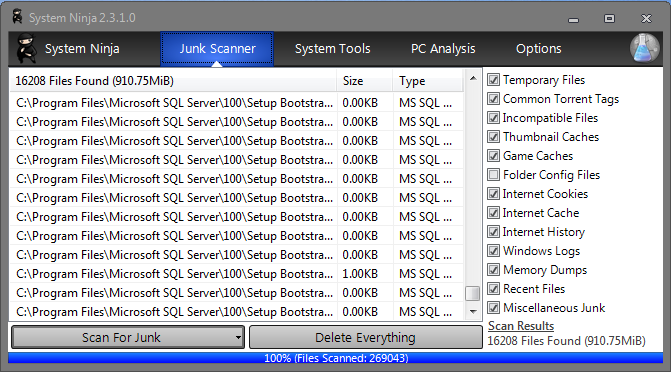
In my test (screenshot above), it found over 16,000 unwanted files eating up nearly 910 MB of space!
What makes System Ninja unique is its dual cleaning engine. It relies on a cloud-based heuristic system. First, it scans for known junk extensions, and then it digs into specific directories that are notorious for hiding temporary files—locations that many other cleaners simply ignore. It also does a great job wiping cache, cookies, and session data across whatever web browsers you happen to be using.
Beyond just cleaning, it includes some handy system tweaking tools, like a Startup Manager and a Process Manager.
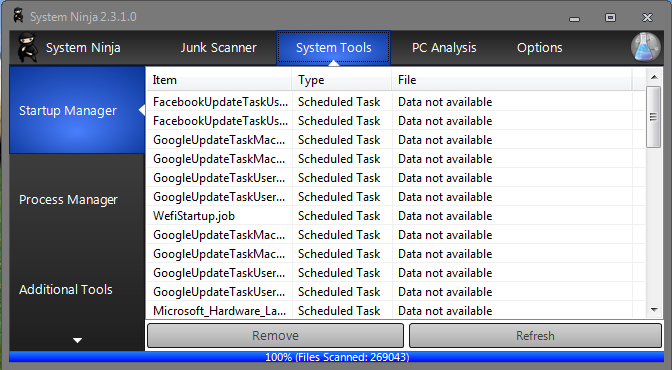
Finally, it doubles as a system information tool. If you need quick details about your Operating System, hard drives, processor, motherboard, or BIOS, System Ninja lays it all out for you.
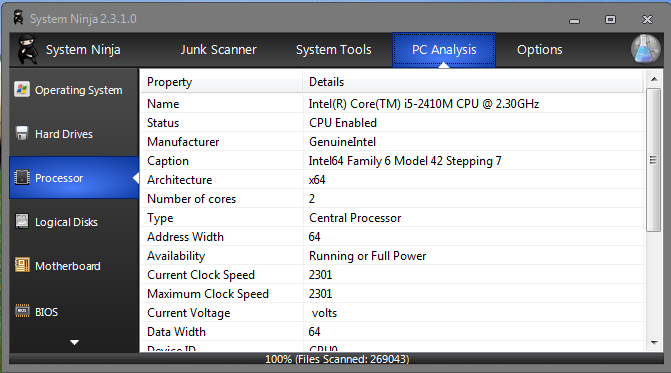
It’s an excellent, lightweight utility. Give it a try by downloading either the installer or the portable version from the link below.
On gaming, I don’t feel I have performed any smart games to the card floorboards.