

Have you noticed a new privacy shortcut appearing in your Facebook account lately? If you haven’t tried it yet, you should — Facebook just revamped its privacy settings to make them simpler, easier to understand, and more powerful. Here’s a rundown of what’s new.
Privacy Shortcuts
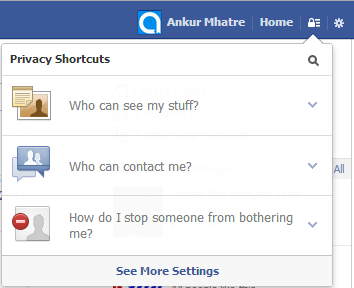
Facebook has introduced a new Privacy Shortcuts menu. From here you can quickly control who sees your posts, review your activity log, preview your public profile, manage messaging and friend request settings, and block people — all from one convenient place without digging through the full settings.
Enhanced Activity Log
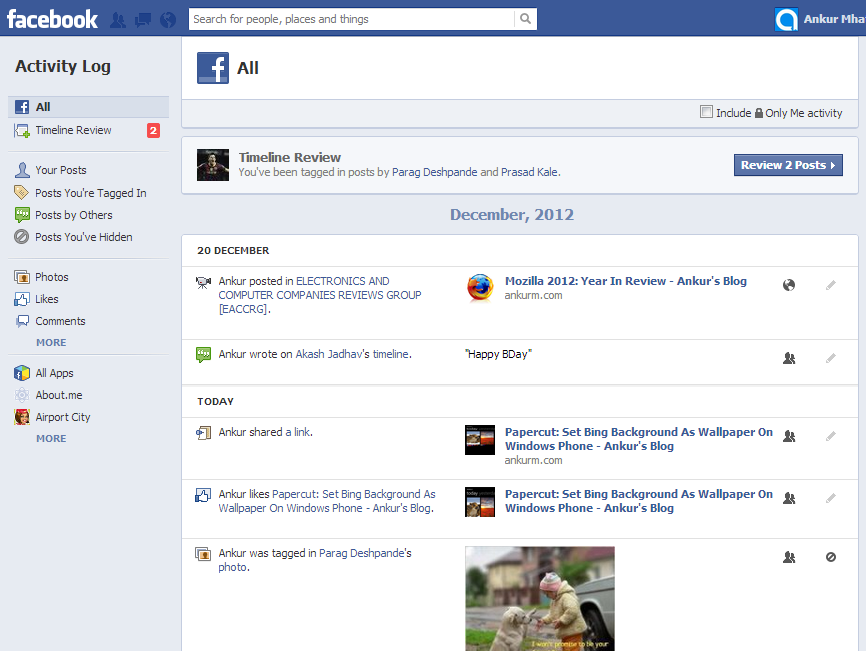
The activity log has also gotten a big upgrade. It’s now a central hub for everything you do on Facebook — wall posts, likes, photos you’ve been tagged in, and posts your friends put on your timeline. You can untag yourself from photos, approve or hide pending posts, and manage almost everything from one place. Think of it as your Facebook control panel.
Timeline: New inline options
(Image courtesy: Gizmodo)
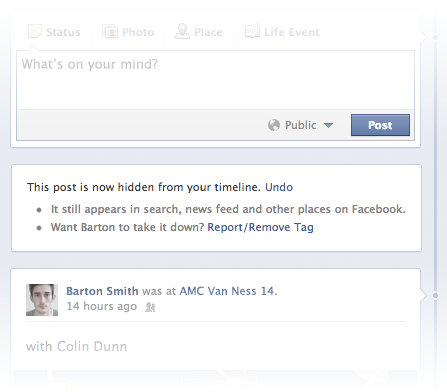
The timeline itself is smarter now too. When you delete a post or hide something, Facebook shows you inline help and options right there in the feed — no more hunting through menus to figure out what just happened.
More changes in this update
One of the more significant changes: apps now need two separate permissions instead of one. Before this update, a single permission let an app both access your profile data and post to your wall. Now those are two distinct approvals, which gives you more control over what apps can actually do.
No Comments yet!