
Computer graphics animation is the technique of creating the illusion of movement by rapidly drawing and erasing images on screen. In the Borland Turbo C environment, the graphics.h library provides low-level drawing functions that make it straightforward to build simple frame-by-frame animations. In this post, we walk through a C program that animates a truck moving across the screen using rectangles and circles to represent the truck body and wheels.
What the Program Does
The program draws a simple truck shape — a large rectangle for the cabin/body, a smaller rectangle for the cab, and two circles for the wheels — then shifts this shape incrementally across the screen to create an animation effect. Between each frame the viewport is cleared, giving the impression of smooth movement.
Code
#include <graphics.h>
#include <dos.h>
#include <conio.h>

void main()
{
    int i, gd = DETECT, gm;

    /* Initialize the graphics driver and mode.
       "C:TCBGI" is the path to Borland's BGI font/driver files. */
    initgraph(&gd, &gm, "C://TC//BGI");

    /* Define the drawing area: full 640x440 viewport, clipping enabled */
    setviewport(0, 0, 639, 440, 1);

    /* Animate the truck by shifting its x-position by 10 pixels each frame */
    for (i = 0; i <= 420; i = i + 10)
    {
        /* Draw truck body (large rectangle) */
        rectangle(50 + i, 275, 150 + i, 400);

        /* Draw cab (smaller rectangle on the right side) */
        rectangle(150 + i, 350, 200 + i, 400);

        /* Draw rear wheel */
        circle(75 + i, 410, 10);

        /* Draw front wheel */
        circle(175 + i, 410, 10);

        /* Pause for 50ms to control animation speed */
        delay(50);

        /* Clear the viewport to prepare for the next frame */
        clearviewport();
    }

    getch();       /* Wait for a key press before exiting */
    closegraph();  /* Shut down the graphics subsystem */
}
How the Code Works
The animation logic follows a clear frame-loop pattern:
- Graphics initialisation —
initgraph()loads the BGI graphics driver and sets the display mode.DETECTtells Turbo C to auto-detect the best available mode. - Viewport setup —
setviewport(0, 0, 639, 440, 1)restricts drawing to a 640×440 pixel region. The final argument1enables clipping so shapes outside the boundary are not drawn. - Animation loop — The
forloop runs fromi = 0toi = 420in steps of 10. On every iteration, the truck is drawn at an offset ofipixels from its starting position, creating the appearance of rightward motion. - Truck shape — Two rectangles model the truck: the first (50+i to 150+i) is the main body; the second (150+i to 200+i) is the cab. Two circles at y=410 with radius 10 represent the wheels below the body.
- Frame delay —
delay(50)pauses execution for 50 milliseconds between frames, giving a smooth 20-frames-per-second animation. - Viewport clear —
clearviewport()erases the current frame before the next one is drawn, preventing the truck from leaving a trail across the screen.
Output
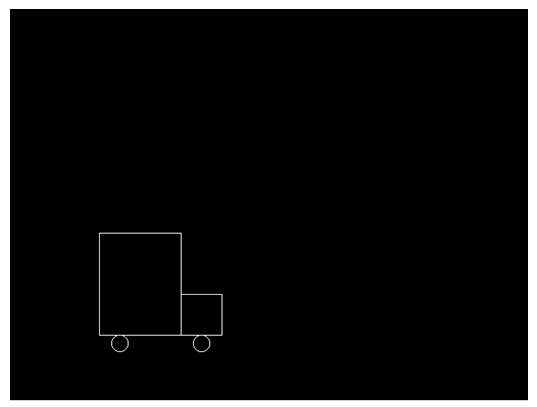
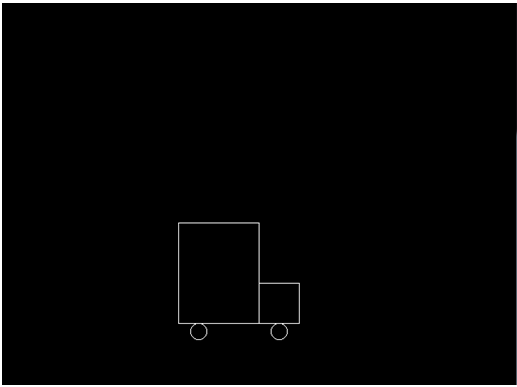
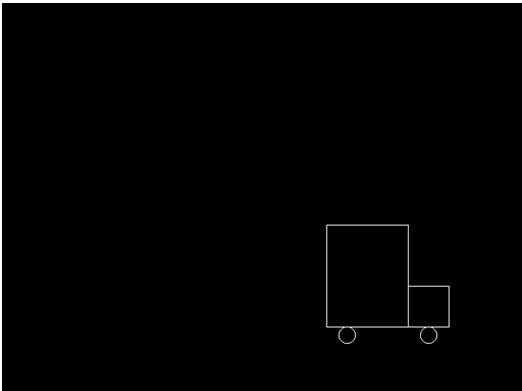
The three screenshots below capture the truck at different stages of its journey across the screen.
Output Explanation
- Frame 1 — The truck appears near the left edge of the screen (
i = 0). The body, cab, and both wheels are visible in their starting position. - Frame 2 — After several iterations (e.g.,
i = 200), the truck has moved roughly to the centre of the screen. Each frame is drawn 10 pixels to the right of the previous. - Frame 3 — Near the end of the loop (
i = 420), the truck is close to the right edge. Once the loop ends, the final frame is cleared and the program waits for a key press.
See Also
Conclusion
This program demonstrates the fundamental building blocks of 2D animation in C: a drawing loop, a time delay, and a clear-and-redraw cycle. While Turbo C’s graphics.h is a legacy library not available in modern compilers, the underlying concepts — frame buffers, viewport clipping, and per-frame state updates — carry forward directly into modern graphics APIs and game engines. Understanding this simple example is a solid first step towards more complex graphics programming.
really helped me for my website meteours