

Note: This post was written in 2012. Facebook’s interface has changed significantly since then, and these steps no longer apply. Today you can delete photos from your Profile Pictures or Cover Photos album directly without any workaround.
Facebook — you’ve been using it for a while now, and chances are your Profile Pictures and Cover Photos albums are filled with old images you’d rather get rid of. The problem is that Facebook recently removed the direct delete option from these special albums. There’s no straightforward way to delete photos from them anymore. So how do you do it?
The trick
It’s actually pretty simple. Open your Cover Photos or Profile Picture album and you’ll see all your photos in a grid.
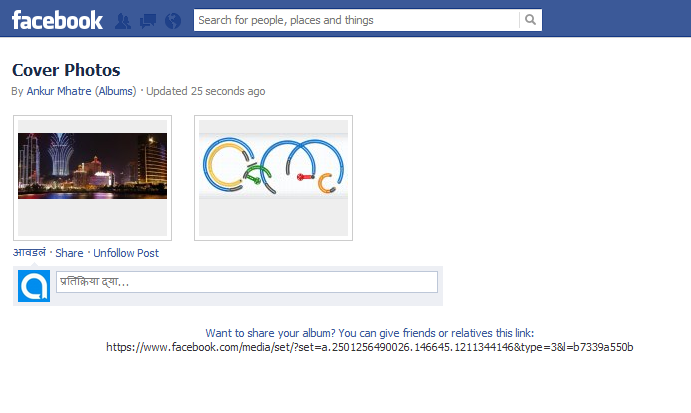
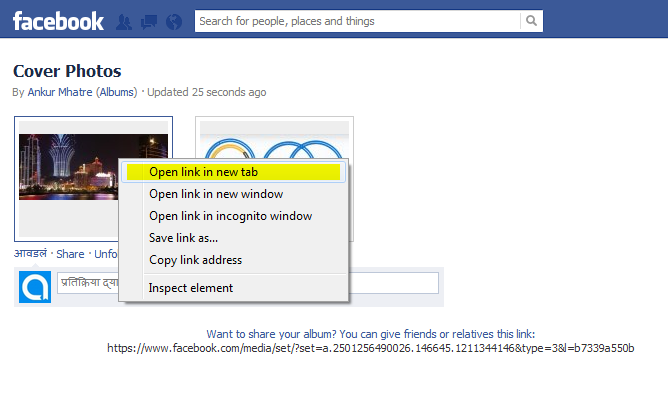
Now right-click on the photo you want to delete and select Open link in new tab.
Scroll down on the page that opens and you’ll find a Delete This Photo link. Click it.
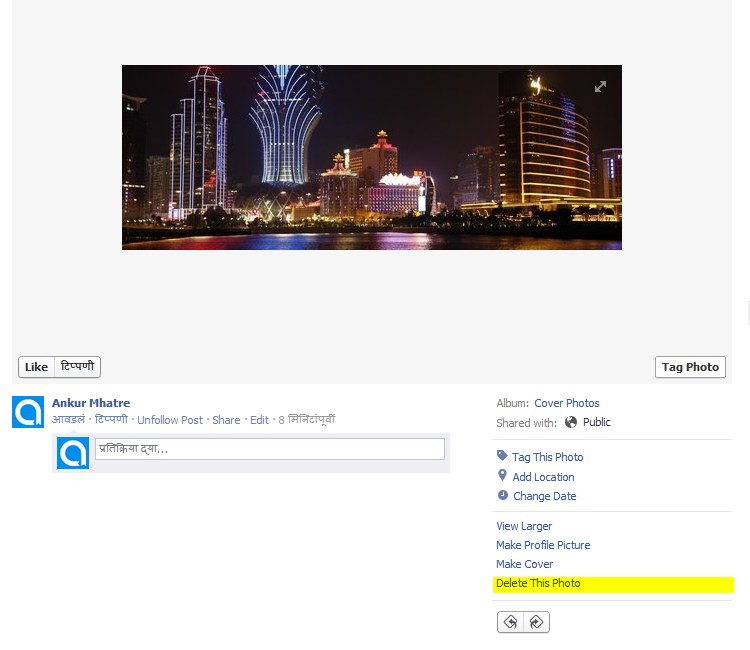
That’s all. You can use the same trick to delete any photo from any of your albums.
No Comments yet!