
Windows Media Player comes built into Windows, but it’s notorious for not being able to play every media format out there. That’s why so many of us have shifted to VLC. VLC is a fantastic, free media player that handles almost anything you throw at it. But what happens on that rare occasion when even VLC struggles to play a file?
Let me introduce you to UMPlayer (Universal Media Player), another free and open-source alternative. The most impressive thing about UMPlayer is that it comes packed with over 270 built-in audio and video codecs. It handles nearly every media format imaginable, including AAC, AC3, ASF, AVI, DIVX, FLV, H.263, Matroska, MOV, MP3, MP4, MPEG, OGG, QT, RealMedia, VOB, Vorbis, WAV, WMA, WMV, XVID, and a whole lot more. Plus, UMPlayer is portable, meaning you can drop it onto a pen drive and run it anywhere without installing it.
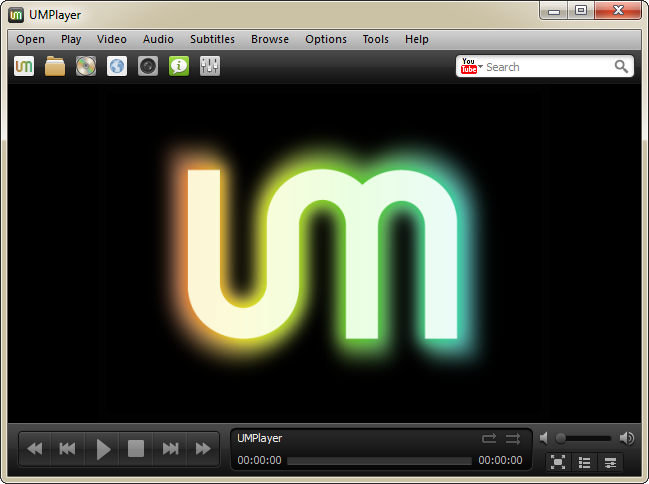
The development team claims that UMPlayer can stream TV/Radio cards, YouTube videos, and SHOUTcast streams. It can even play incomplete or damaged media files! So if you have a corrupted video that other players refuse to open, UMPlayer might just save the day.
UMPlayer comes loaded with features you’d expect from a modern player, like skinnable interfaces, built-in subtitle searching, audio/subtitle synchronization, enhanced filter rendering, and a YouTube player/recorder. Despite all these advanced tools, the interface remains remarkably clean and straightforward.
Because UMPlayer is built on solid, lightweight technologies, it detects your computer’s specifications during setup and only installs what you need. This means even if you’re running it on an older, slower PC, UMPlayer won’t freeze up your system while playing high-quality video.
It’s a fantastic, truly universal media player. Since it’s written in Qt, it’s completely cross-platform. You can run it on Windows XP, Vista, 7, Mac OS X, and Linux distributions like Debian and Ubuntu.
No Comments yet!