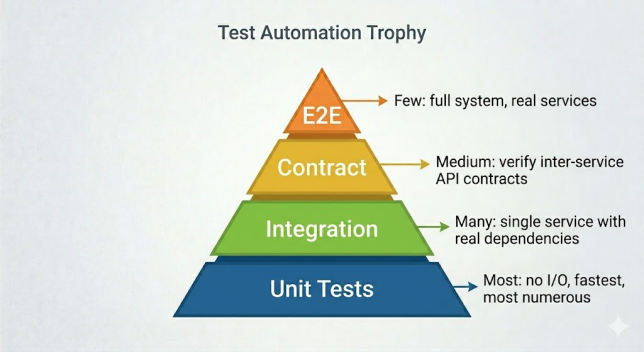
Poor test data management is one of the leading causes of flaky, brittle, and hard-to-maintain test suites. Tests that rely on globally shared, manually maintained database records break the moment someone changes the seed data. This guide covers every test data strategy used in production JUnit 6 projects — from simple inline data to sophisticated builders, SQL scripts, and Faker-powered generators — with complete examples for each layer of the testing pyramid.
The Core Principle: Tests Own Their Data
Every test should create the data it needs, verify its assertions, and leave no trace behind. Tests that depend on data set up by other tests, global seed scripts, or manual database inserts become order-dependent and fragile. The golden rule:
- ✅ Each test creates its own data in
@BeforeEach or inline in the test body
- ✅ Each test cleans up its data in
@AfterEach or via transaction rollback
- ❌ Never rely on data created by another test method
- ❌ Never rely on data that is manually inserted into a shared database
Strategy 1: Inline Test Data
For simple unit tests, create test objects directly inside the test method. This is the most readable and self-contained approach:
@Test
@DisplayName("Applying a 10% discount reduces order total correctly")
void applyingTenPercentDiscountReducesTotal() {
    // Inline test data — no setup method needed
    Order order = new Order(
        1L,
        "[email protected]",
        100.00,
        OrderStatus.PENDING
    );
    Discount discount = new Discount(DiscountType.PERCENTAGE, 10.0);

    // Act
    double discountedTotal = discountService.apply(order, discount);

    // Assert
    assertEquals(90.00, discountedTotal, 0.001,
        "10% of 100.00 should give 90.00");
}
Strategy 2: Object Mother Pattern
When many tests need the same object in a standard state, the Object Mother provides factory methods that return pre-built instances. This eliminates repetition and makes tests more readable:
package com.example.testdata;

/**
 * OrderMother: factory for standard Order test objects.
 * Centralises test data creation — one place to update when Order changes.
 */
public class OrderMother {

    // A valid, fully-populated Order ready to process
    public static Order validPendingOrder() {
        return Order.builder()
            .id(1L)
            .customerEmail("[email protected]")
            .totalAmount(99.99)
            .status(OrderStatus.PENDING)
            .createdAt(LocalDateTime.now())
            .build();
    }

    // An order that has already been completed
    public static Order completedOrder() {
        return validPendingOrder().toBuilder()
            .id(2L)
            .status(OrderStatus.COMPLETED)
            .completedAt(LocalDateTime.now())
            .build();
    }

    // An order with an unusually large total — for boundary testing
    public static Order highValueOrder() {
        return validPendingOrder().toBuilder()
            .id(3L)
            .totalAmount(10_000.00)
            .build();
    }

    // An order with null email — for negative/validation testing
    public static Order orderWithNullEmail() {
        return validPendingOrder().toBuilder()
            .customerEmail(null)
            .build();
    }
}

// Usage: clean, readable, no duplication
class OrderServiceTest {

    @Test
    void completingAValidOrderChangesStatusToCompleted() {
        Order order = OrderMother.validPendingOrder();
        orderService.complete(order);
        assertEquals(OrderStatus.COMPLETED, order.getStatus());
    }

    @Test
    void highValueOrdersRequireManagerApproval() {
        Order order = OrderMother.highValueOrder();
        assertTrue(orderService.requiresManagerApproval(order));
    }
}
Continue reading Test Data Management Strategies in JUnit 6 Projects →