Creating your first Angular application: Hello World

Alright, let’s dive into the exciting world of Angular! Today, we’re going to build your very first Angular application, the classic “Hello World,” and explore the project structure that makes it all tick. Get ready to code, learn, and have some fun!

Prerequisites:

Before we begin, make sure you have the following installed:

Node.js and npm: Angular relies on Node.js and its package manager, npm. You can download them from the official Node.js website.

Angular CLI (Command Line Interface): The Angular CLI is a command-line tool that makes it easy to create, develop, and maintain Angular applications. Install it globally using npm:

npm install -g @angular/cli

Step 1: Creating a New Angular Project

Open your terminal or command prompt.

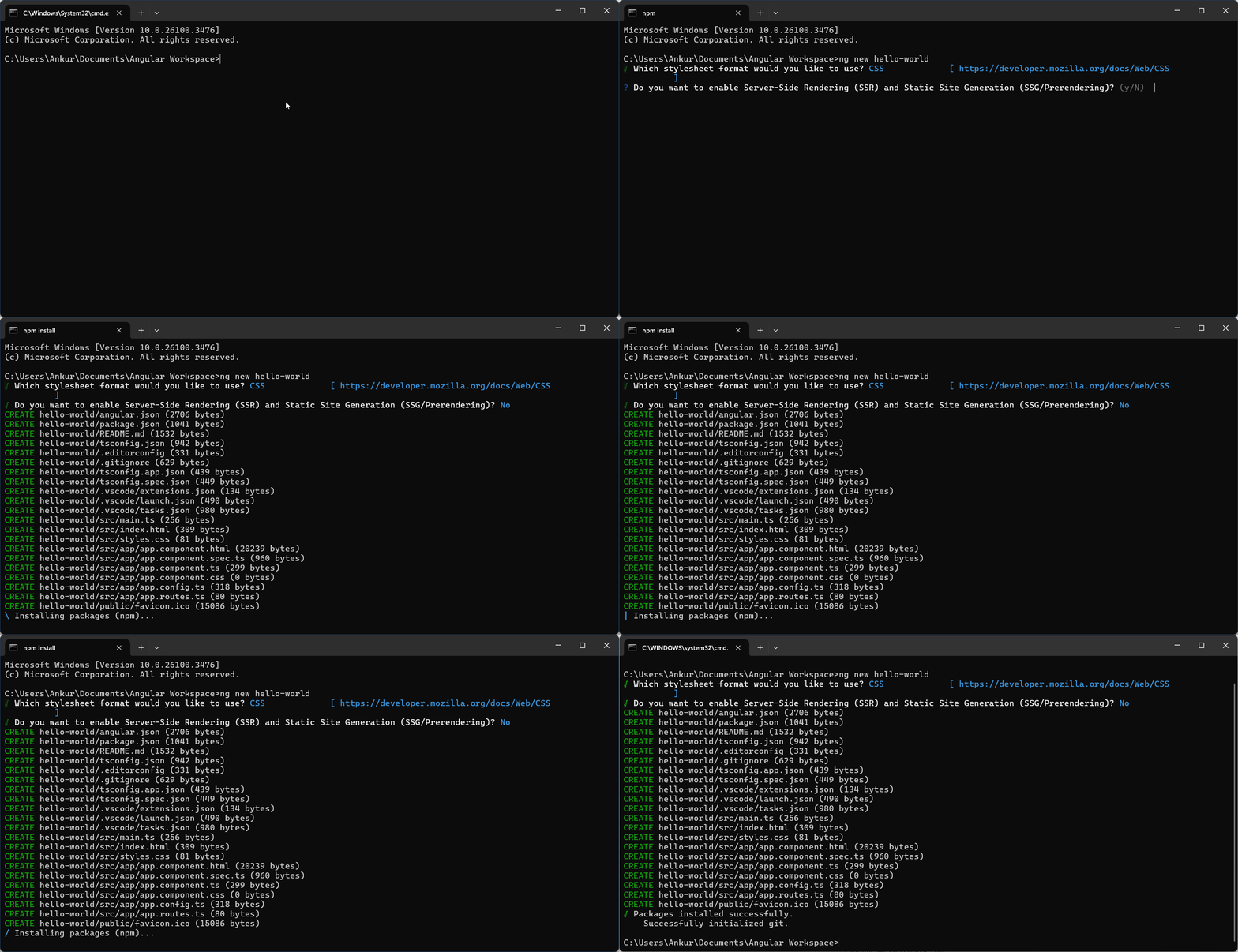
Navigate to the directory where you want to create your project and run the following command to create a new Angular project:

ng new hello-world
Continue reading Creating your first Angular application: Hello World

A Tale of a New Developer and Git 💻🚀

Alex, a bright-eyed new developer, was eager to dive into his first open-source project 🚀. The project’s code was hosted on a remote repository, and Alex’s first task was to get a local copy. He opened his terminal and typed:

git clone https://github.com/open-source-project/awesome-project.git

This command, git clone, fetched the entire repository from GitHub and created a local copy on his machine. 🌎

Now, Alex was ready to start contributing. He began by creating a new branch for his feature: 🌳

git checkout -b new-feature
Continue reading A Tale of a New Developer and Git 💻🚀

8086 Data Directives: DB, DW, DD, DQ, DT, DUP, EQU, PTR, and OFFSET

Data directives are assembler instructions, not CPU instructions — they tell the assembler how much memory to reserve and what value to store there at load time. The CPU never executes a DB or DW; it simply finds the bytes already in memory when it accesses that address at runtime. Choosing the right directive matters: use DB for bytes and strings, DW for 16-bit integers and addresses, DD for far pointers and 32-bit values, and DUP to initialise arrays without typing each value individually.

Continue reading 8086 Data Directives: DB, DW, DD, DQ, DT, DUP, EQU, PTR, and OFFSET

Java Interview Preparation Guide

I’ve sat on both sides of the Java interview table enough times to notice a pattern: candidates who can recite definitions often freeze the moment you ask “why” or “what happens if.” This guide is organized the way interviews actually flow — core language fundamentals, then collections, then concurrency, then the Streams/Optional questions that trip up even experienced developers, and finally the Spring basics that show up in almost every Java backend role today. Each question includes a real, runnable example and a note on the specific way candidates get it wrong, because the wrong answer is usually more instructive than the right one.

Continue reading Java Interview Preparation Guide

Overview of New Features in Java 19

Java 19 has just been released — September 20, 2022 — as a short-term support release on the six-month cadence the Java platform moved to starting with Java 9. It is not an LTS release, but that does not make it uninteresting: Java 19 ships 7 JEPs, several of them highly anticipated by the Java community. Virtual Threads, in particular, represent one of the most significant changes to the Java concurrency model in years.

The headline features span concurrency, pattern matching, native interop, and platform reach. Three features arrive as preview (complete but seeking feedback), one as an incubator module (early-stage API), and the rest are fully stable additions. Because several require flags to enable, we will also cover exactly how to turn them on — both on the command line and in Maven.

This article walks through each major Java 19 feature with code examples and explains the preview and incubator status so you know what you can try today and what to expect in future releases.

Continue reading Overview of New Features in Java 19