Using Office Web Apps Viewer To View Documents

Note: This post was written in 2012. SkyDrive was renamed to OneDrive in 2014, and the Office Web Apps viewer URL described here has since changed. For viewing and editing Office files online today, use Microsoft 365 Online.

Microsoft Office is the world’s most widely used productivity suite. Most organizations store their documents as Word files, Excel spreadsheets, or PowerPoint presentations — so if you request information from someone, there’s a good chance it arrives as an Office file. If you’re on Windows Live (Hotmail), you can already open and edit these files online. If you’re on Gmail, Google Docs can handle them too, though formatting sometimes doesn’t survive the conversion.

There’s another option though: Microsoft’s own Office Web Apps Viewer, which is part of SkyDrive and available to all Windows Live users.
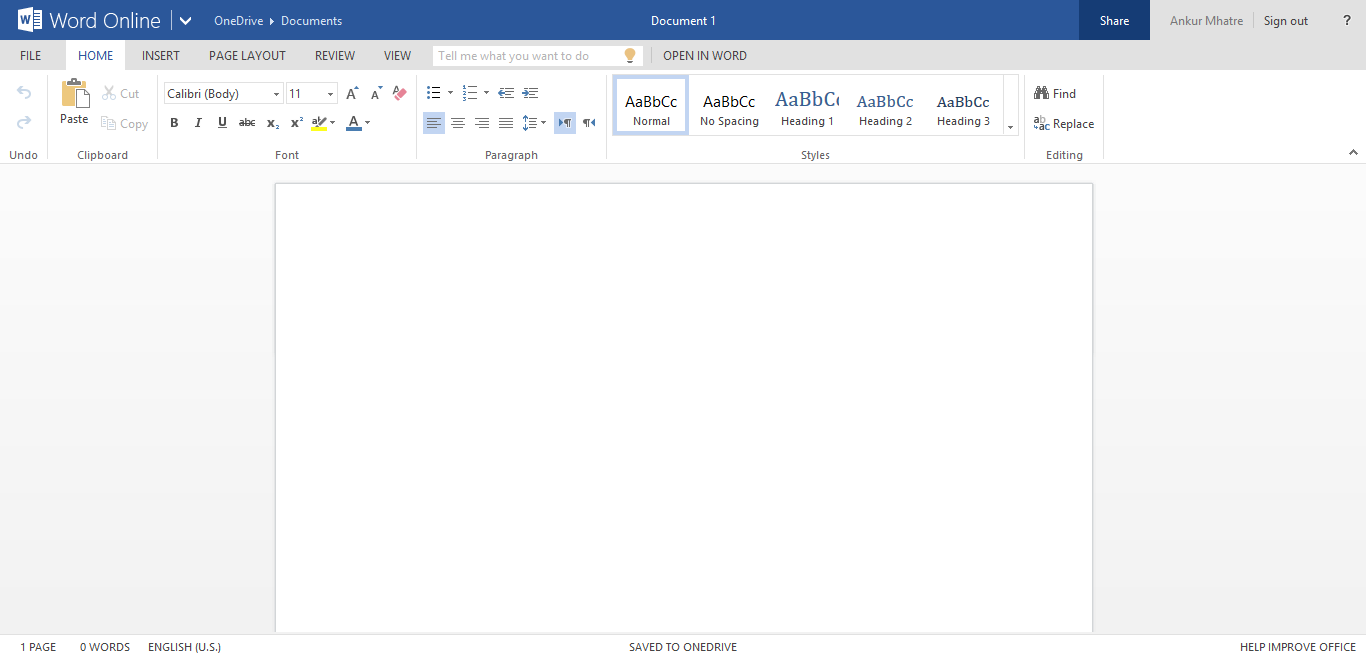
Office Word Web App
Office Word Web App

If you’re a Windows Live user, you can sign in and open any Office document directly from your inbox in the web app viewer. You can also create and edit Office documents right from SkyDrive.

Continue reading Using Office Web Apps Viewer To View Documents
9 Best Sites For Diwali Greetings, SMS, E-Cards And More

Note: This post was written in 2012. Several of the sites listed below may no longer be active. For fresh Diwali greetings, a quick search will serve you better than this old list.

Diwali is just around the corner and you still haven’t found a greeting or message to send to your family and friends? Don’t worry — here’s a list of sites with all kinds of Diwali e-cards, SMS, and greetings. Pick what you like and send it to your loved ones.

And before we get into the list — Happy Diwali to you and your family!

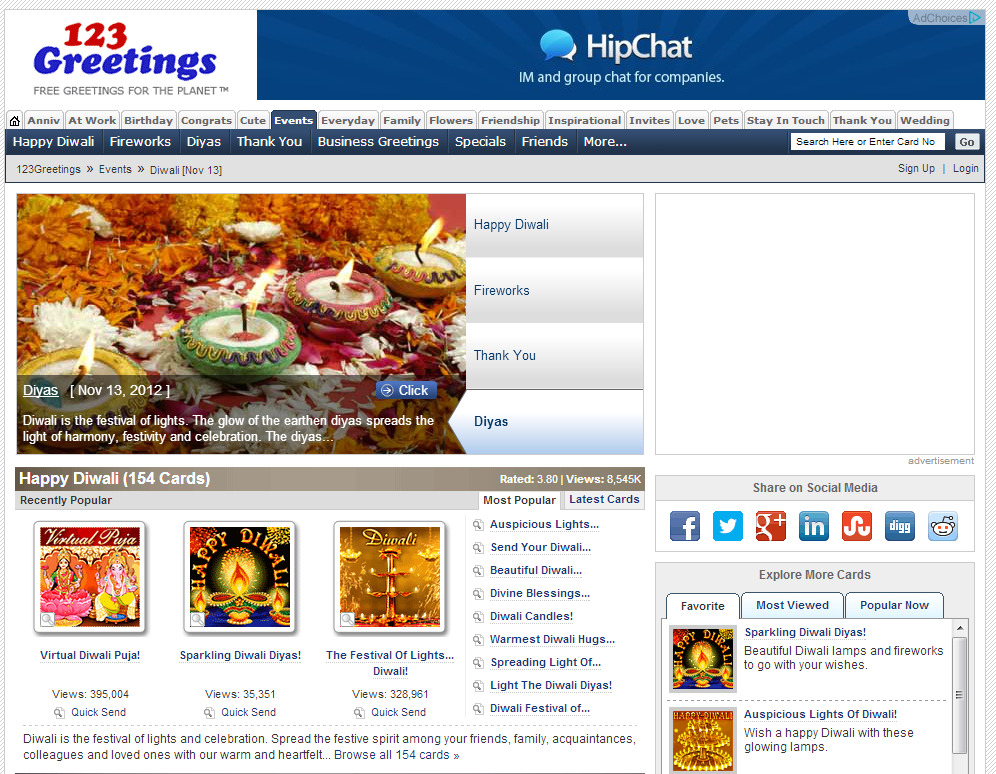
1. www.123greetings.com

123Greetings.com

Continue reading 9 Best Sites For Diwali Greetings, SMS, E-Cards And More

Redirecting www To non-www And Vice Versa

Note: This post was written in 2012. The .htaccess rules below still work on Apache servers, but modern setups (NGINX, Caddy, Apache 2.4 with virtual hosts) handle redirects differently. The rules also use http:// — update them to https:// for any SSL-enabled site.

Every domain can be accessed through two different URLs. Take example.com — it’s reachable as both example.com and www.example.com. The same applies to subdomains. From a user’s point of view this doesn’t matter much, but from an SEO standpoint it’s a problem. Having the same content available on two different URLs can be flagged as duplicate content and hurt your search rankings.

Continue reading Redirecting www To non-www And Vice Versa

Deleting Old Profile Pics & Cover Photos From Facebook

Note: This post was written in 2012. Facebook’s interface has changed significantly since then, and these steps no longer apply. Today you can delete photos from your Profile Pictures or Cover Photos album directly without any workaround.

Facebook — you’ve been using it for a while now, and chances are your Profile Pictures and Cover Photos albums are filled with old images you’d rather get rid of. The problem is that Facebook recently removed the direct delete option from these special albums. There’s no straightforward way to delete photos from them anymore. So how do you do it?

The trick

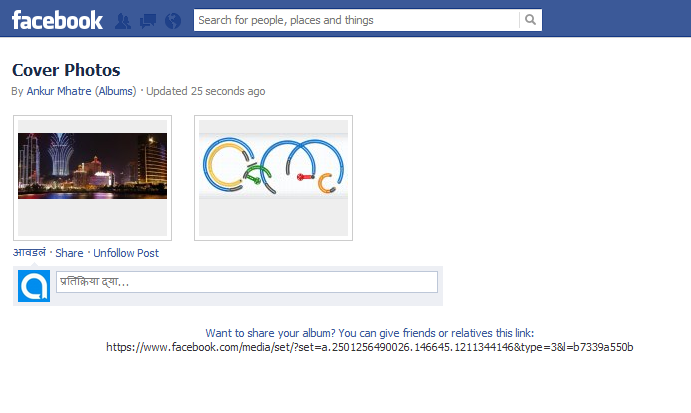
It’s actually pretty simple. Open your Cover Photos or Profile Picture album and you’ll see all your photos in a grid.

Now right-click on the photo you want to delete and select Open link in new tab.

Continue reading Deleting Old Profile Pics & Cover Photos From Facebook

Creating A Simple Database Application In Visual Studio ’10 (Drag & Drop Way)

Note: This post was written in 2012 for Visual Studio 2010. The .sdf (SQL Server Compact) format used here has since been discontinued by Microsoft and is no longer supported in modern Visual Studio versions. If you’re starting fresh today, consider SQLite, LocalDB, or SQL Server Express instead.

There are already thousands of tutorials on the web for this kind of thing, and most of them are unnecessarily complicated. They use too many columns and too much code, which just ends up confusing beginners. So I’m going to show you how to build your first database VB app the simple way — three columns only (ID, Name, City), and almost everything done through drag and drop. No heavy coding needed.

Steps

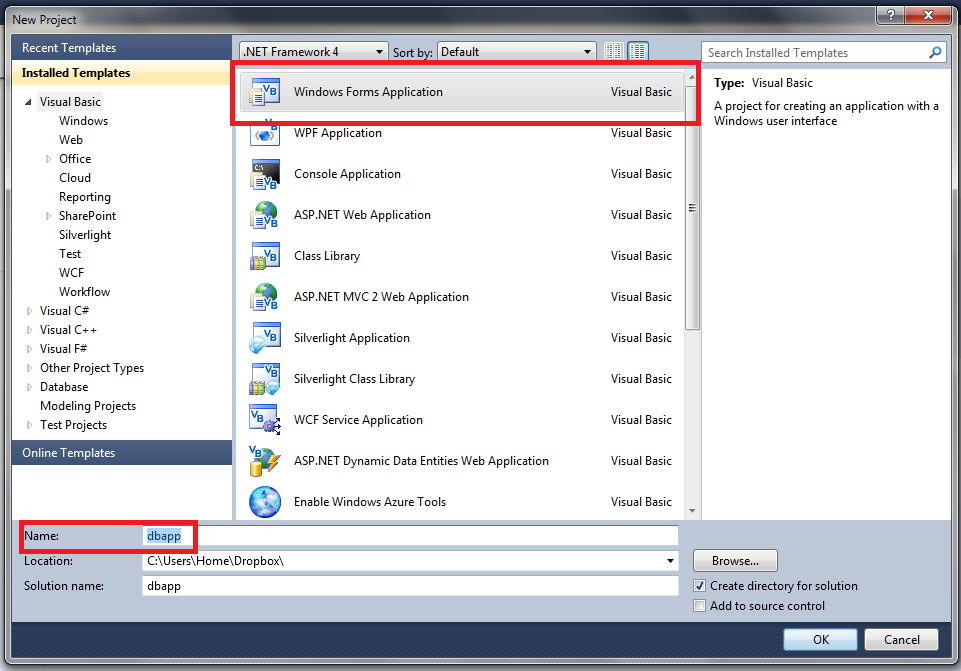
Since we’re building a Windows Forms application, choose Windows Forms Application as the project template.

I’ve named the project dbapp, but you can call it whatever you like.

Continue reading Creating A Simple Database Application In Visual Studio ’10 (Drag & Drop Way)

AddHandler vs AddType : Apache Directive

Note: This post was written in 2012. The core concepts of AddHandler vs AddType are still valid, but modern server setups (NGINX, Apache 2.4+, PHP-FPM) may handle MIME types differently than described here.

Just the other day, while stumbling around the web looking into website branding techniques, I came across something called using custom extensions to brand your website. The topic was interesting enough that I decided to try it myself. My first attempt threw an error — Apache was sending my file straight to the browser as a download instead of executing it server-side. That sent me down a rabbit hole and I landed on something called Apache Directives.

A directive controls how a file is treated by either the client or the server. Once I understood which directive I was supposed to be using, everything started working fine.

AddHandler and AddType are the two directives you’ll deal with most when it comes to file handling. Using the wrong one can break your server or create a security risk.

Continue reading AddHandler vs AddType : Apache Directive

DeEgger Embedder: Hide Private Files Within Images, Videos Or Audio (Media Steganography)

Note: I originally wrote this post in 2012. Steganography is a fascinating field, but keep in mind that this specific utility is quite old and may not be compatible with all modern file formats or operating systems!

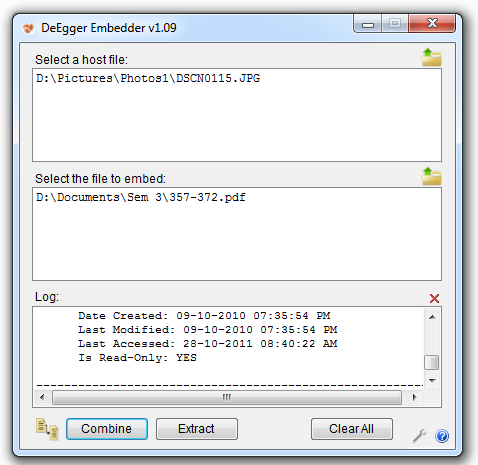
Do you have sensitive files on your computer that you want to keep hidden, or do you need a way to securely send private data to a friend? Let me introduce you to a clever tool called DeEgger Embedder.

This app allows you to use a technique called steganography to hide files inside images, videos, or audio files. Once you’ve “embedded” your secret data into a host file (like a JPEG image), you can share that image with anyone. To a casual observer, it just looks like a normal photo. There are no obvious traces that anything is hidden inside. But when your friend uses DeEgger Embedder on that same file, they can instantly extract the confidential data.

DeEgger Embedder is a free utility designed to merge two or more files together seamlessly. It supports a wide range of host formats, including AVI, JPEG, MP3, MP4, PDF, and PNG.

The process is remarkably simple:

  1. Select your host file (the image or video that will hide the data) via drag-and-drop.
  2. Select the secret file you want to hide.
  3. Click Combine.
  4. Save the new, modified file to your disk.
DeEgger Embedder
DeEgger Embedder

Continue reading DeEgger Embedder: Hide Private Files Within Images, Videos Or Audio (Media Steganography)